
Polar is built for people selling digital things rather than for shops. The API is clean, the checkout does not look like a storefront, and it acts as merchant of record so EU VAT is its problem rather than yours. Of everything PayGlue connects, it is the one I reach for first.
What Polar does not know is what a Ghost membership is. This guide closes that gap: a completed checkout grants the tier, a cancellation takes it away, and none of it needs code on your site.
Ten minutes, and one optional step that is worth not skipping.
What you need
- A Ghost site you administer, self-hosted or Ghost(Pro)
- A Polar account with at least one product
- Admin access to both
Connect Ghost first
Start here rather than in Polar. If nothing can reach Ghost, everything after it has nowhere to deliver to.
In Ghost, open Settings, then Integrations, then Add custom integration. Name it PayGlue.
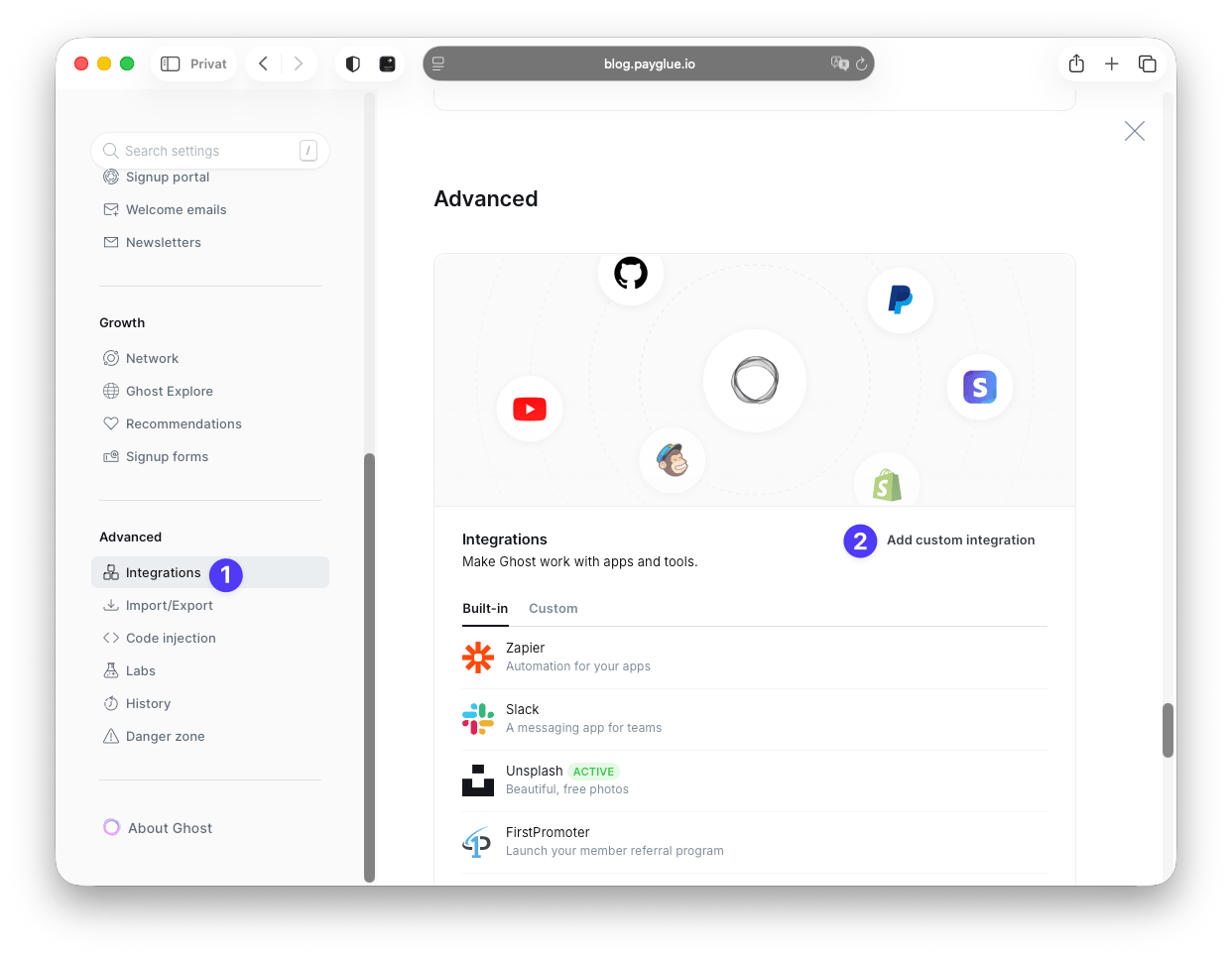
Ghost then shows the keys for that integration. The Admin API key is the one that matters.
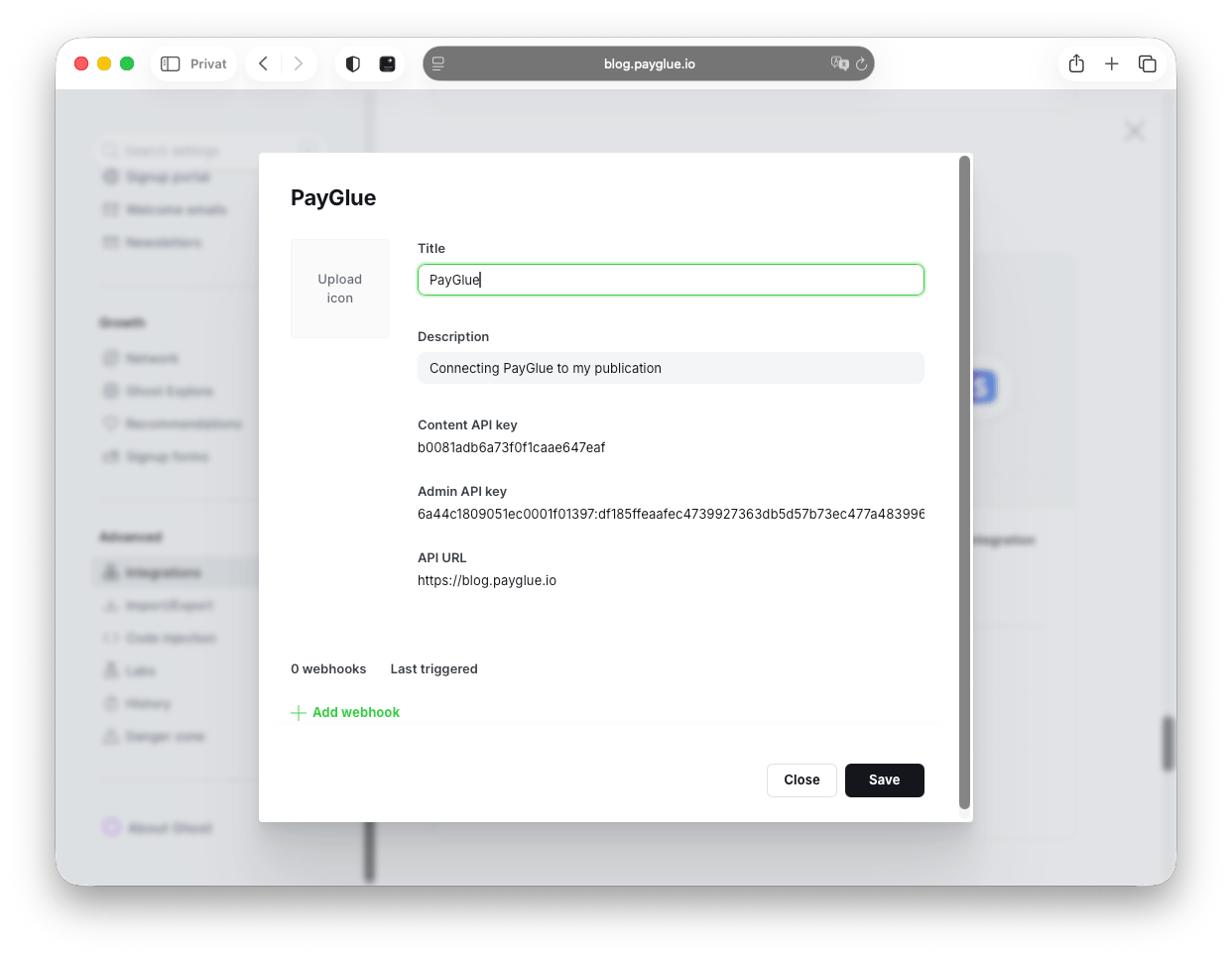
Copy it along with your site URL. That key can create and modify members, so treat it like a password. PayGlue stores it encrypted and never shows it again once saved.
Open the Polar connection page
In PayGlue, go to Connection, then Polar. The page shows your webhook URL, the credential fields, and the steps in order down the side.
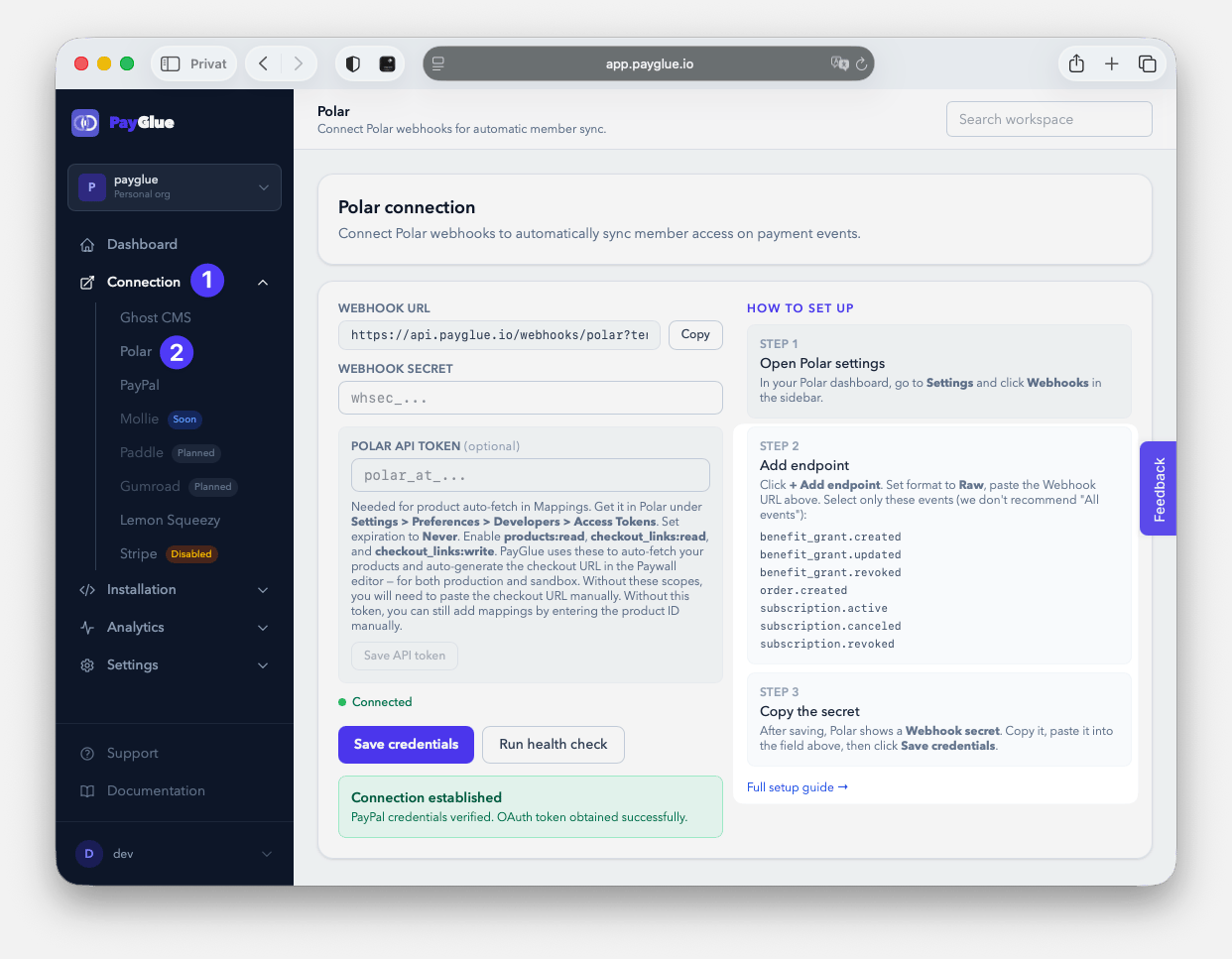
Keep this tab open. You will be copying in both directions for the next few minutes.
Create the webhook in Polar
In Polar, go to Settings, then Webhooks, then Add endpoint.
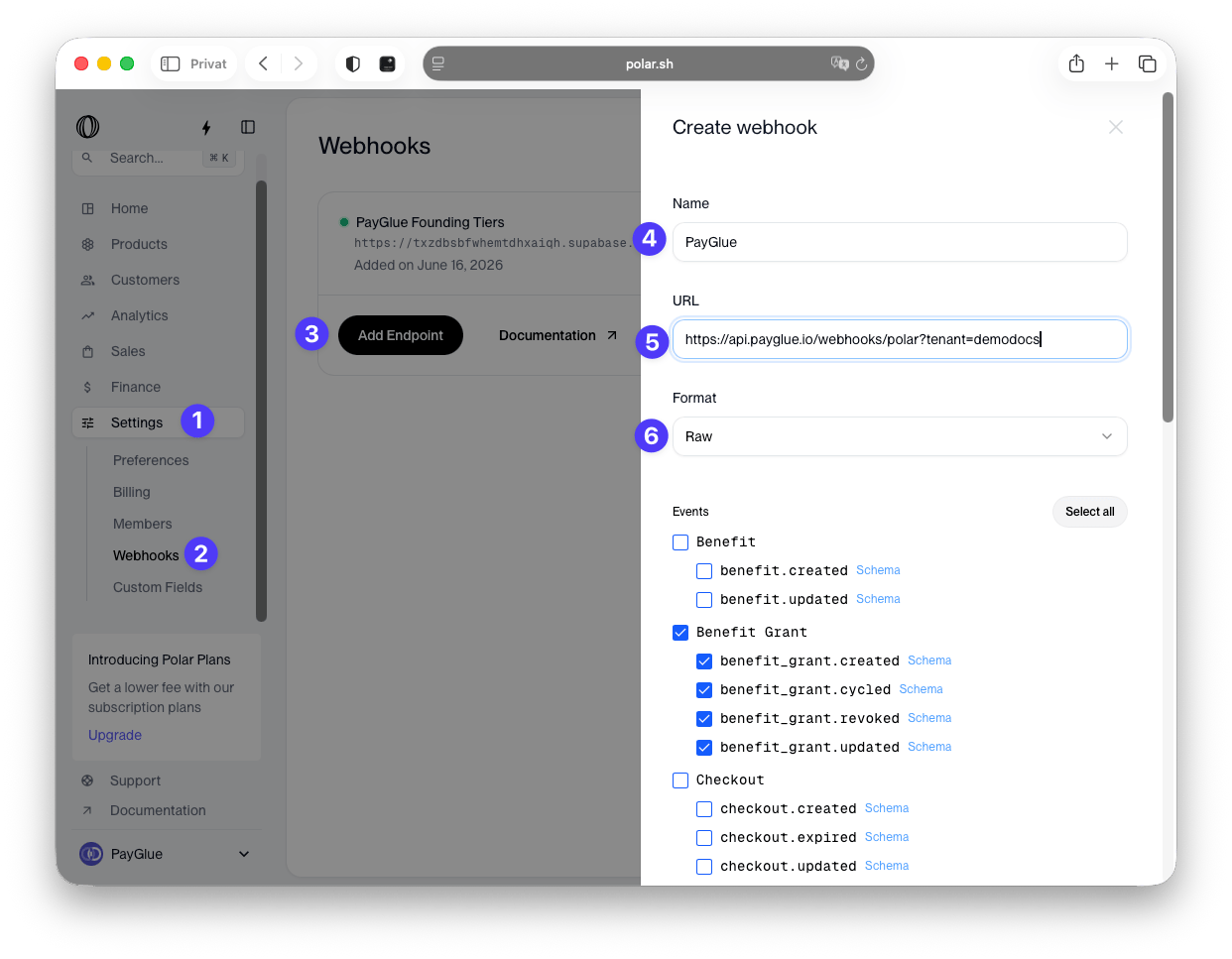
Three things have to be right here, and two of them are easy to get wrong.
Format: Raw. Not any of the other options. The signature Polar sends is computed over the exact bytes of the payload, so a format that reshapes it on the way means the recomputed signature will not match. Every delivery then fails verification, and the error reads like a wrong secret rather than a wrong format.
The URL, complete. Copy the whole string from the connection page, including everything after the question mark. The slug at the end is how the event finds your organisation, and a truncated copy produces events addressed to nobody.
Expiration: Never. An expiring endpoint works right up until the day it stops, with no warning. The first sign is somebody who paid and got nothing.
Then select four events:
order.createdsubscription.activesubscription.canceledsubscription.revoked
Copy the webhook secret
After saving, Polar shows the signing secret for that endpoint.
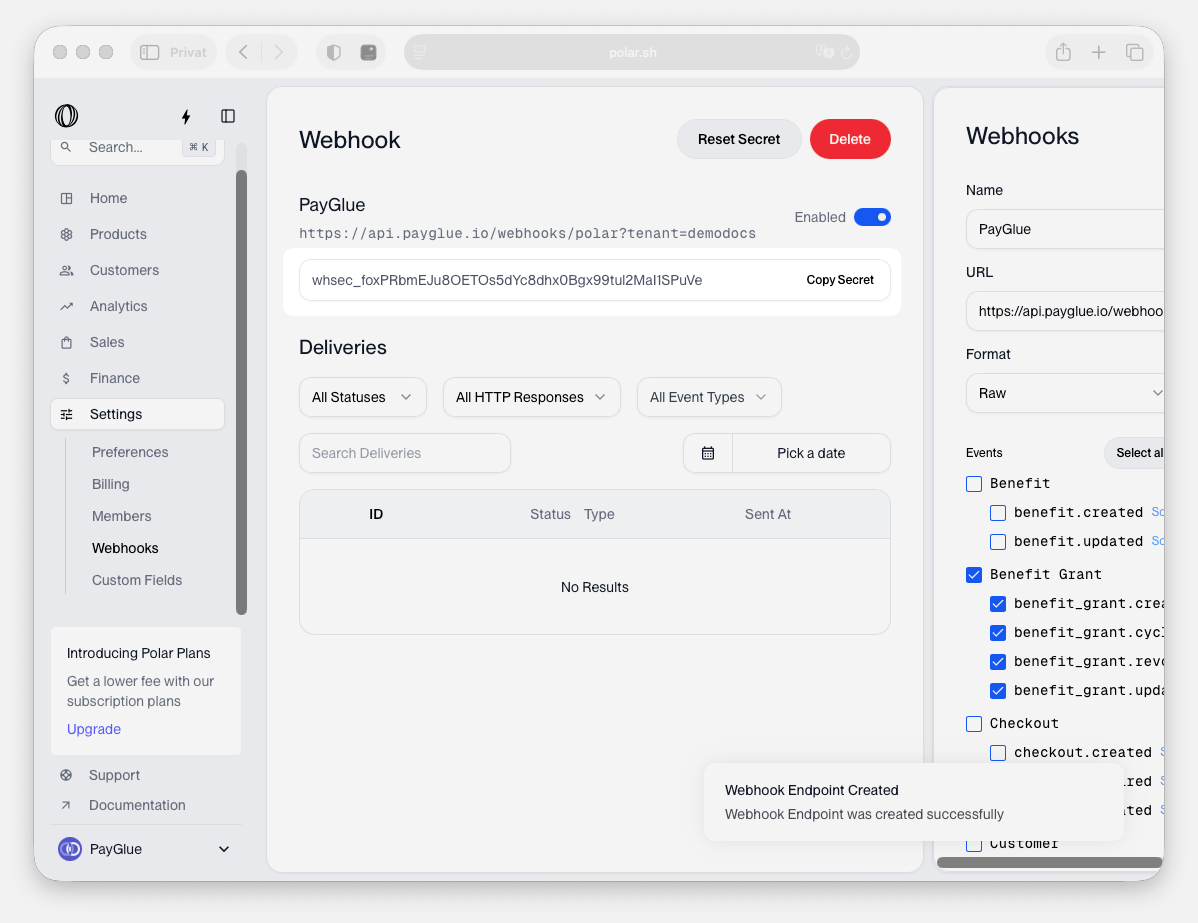
Copy it into the corresponding field on the PayGlue connection page. Paste rather than retype: a trailing space is enough to fail every delivery, and it is invisible in both interfaces.
The optional token, and why you want it
In Polar, go to Settings, then Preferences, then Developers, and create an API token. Expiration Never again.
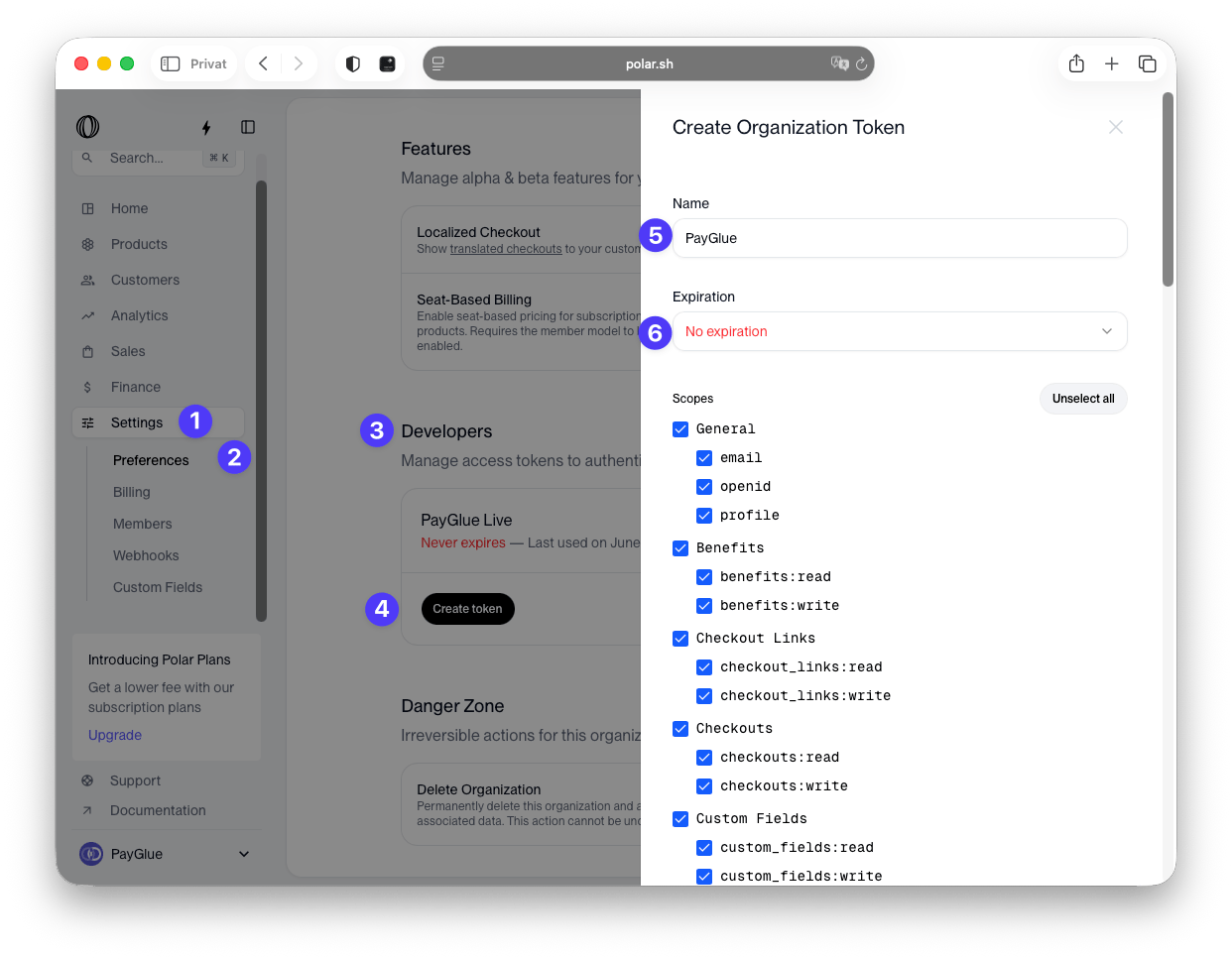
This step is labelled optional and technically is. Without it, webhooks still arrive and members still get created.
What you lose is product auto-fetch. Without the token, every button, paywall and pricing table wants a product ID typed in by hand. Five products across three editors is fifteen chances to paste the wrong string, and a mismatched ID fails without complaining: the purchase happens, the event arrives, and nothing is granted because nothing matches.
Add the token. It is the cheapest two minutes in this guide.
Save and check
Paste the webhook secret and the token into PayGlue and save. Then run the health check.
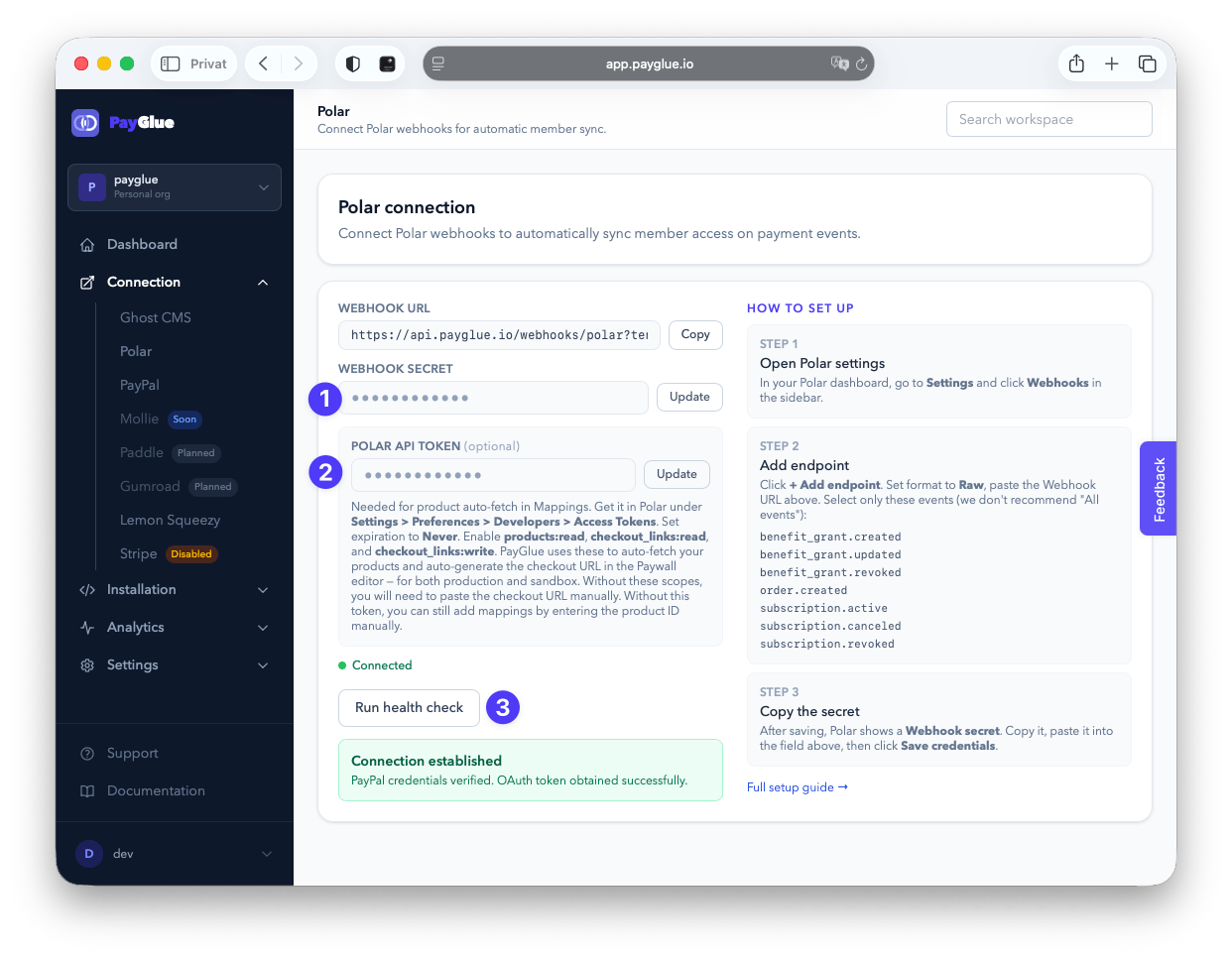
Green means two things at once: Polar accepts the token, and Ghost accepts the keys.
Which events do what
| Polar event | What happens in Ghost |
|---|---|
order.created |
Member created, one-time purchase |
subscription.active |
Membership granted |
subscription.canceled |
Membership revoked |
subscription.revoked |
Membership revoked |
Two events revoke, and they are not the same moment. canceled fires when somebody clicks cancel. revoked fires when access should actually end.
If you let people keep what they paid for until the period runs out, the second one is the one that matters to you. Enable both and the behaviour follows Polar rather than a guess.
Map a product to a Ghost tier
A payment means nothing until you say what it buys.
Open Buy Button, Paywall or Pricing Table, pick your Polar product from the dropdown, choose which Ghost newsletter the buyer joins and which welcome email they get, then save.
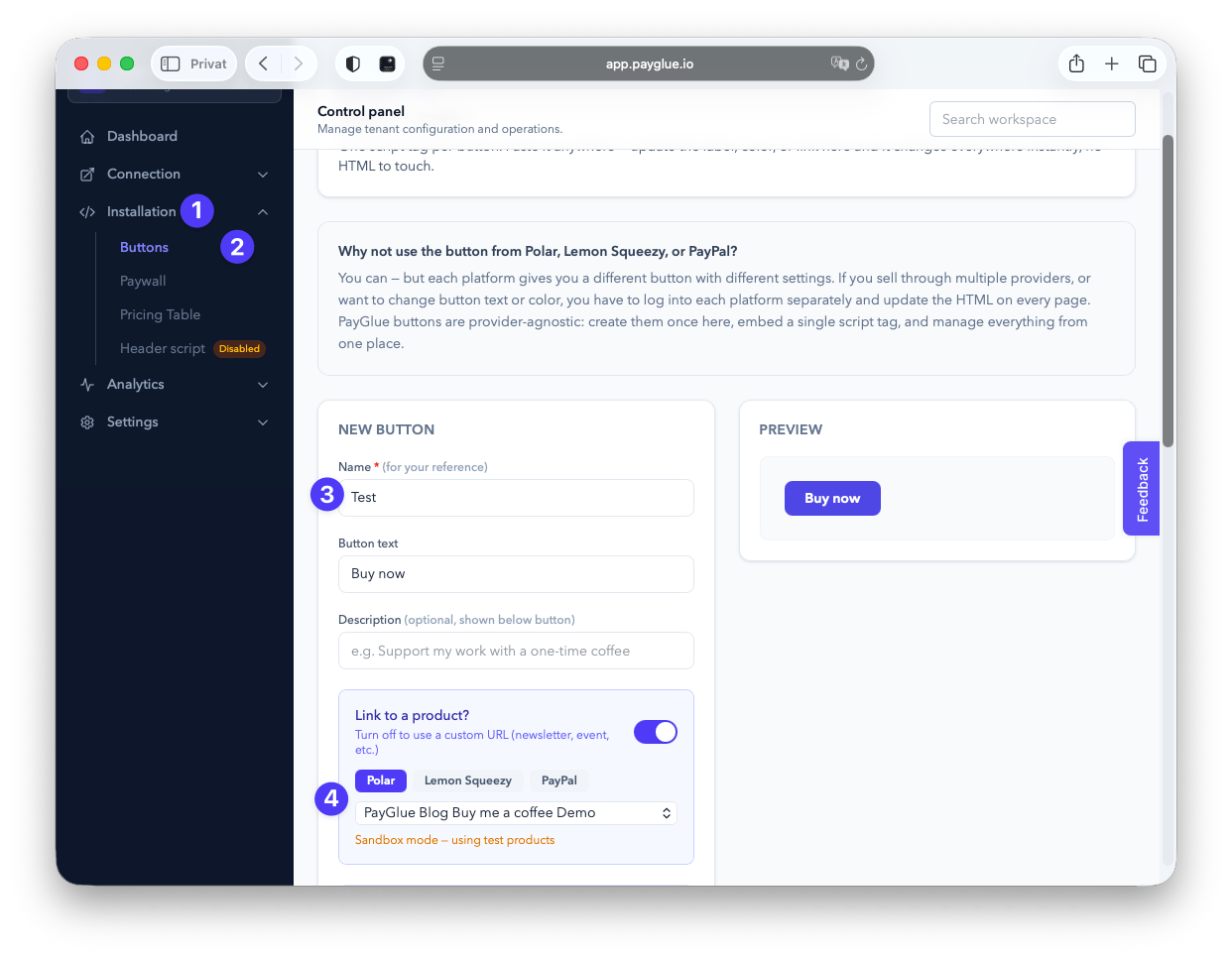
That dropdown is the token from earlier doing its job. Without it you would be typing the ID into that field.
Start with one product and one tier. Confirm it before adding the rest.
Test it with a real purchase
Set a product to a token amount, buy it yourself, and watch the member appear in Ghost with the right tier. Then cancel and confirm the access goes away. Then refund yourself.
Testing the cancellation matters more than testing the purchase. A broken grant gets noticed the same day, usually by an annoyed customer. A broken revoke is silent for months.
If nothing lands, open Analytics, then Webhook Events:
- No event at all: delivery problem. Check the URL and the slug in Polar.
- Event failed: the secret does not match, or the format is not Raw.
- Event processed, nothing changed: no mapping for that product.
Three problems that look identical from outside and take three different fixes. The longer diagnosis is here.
The Stripe question
Ghost will not show you its membership settings until a Stripe account is connected, even though Stripe will never see a cent of any of this.
Ghost’s settings screen is what needs the account, not the payment path. If you can open a Stripe account, connect it, leave it idle, and let Polar do the work.
If you cannot, because Stripe does not operate where you live, there is a second path that does not involve a Stripe account at all: members are created as free members carrying a label that records their access, and the paywall script checks that label rather than Ghost’s own gating. Both cases are explained here.
When Polar is the right pick
Choose it when you want a merchant of record with a clean API and a checkout that does not feel like a shop. For a developer or a writer selling digital access, it is the most comfortable of the set.
Look elsewhere when payout availability rules it out where you live, which is the one question that overrides everything else. How Polar compares to Lemon Squeezy and Paddle on fees, tax and payouts.