You connect a second payment provider to your Ghost site, sell a few memberships, and then open Stripe for an unrelated reason. Your customer list has grown. Every one of the new entries has an active subscription, billed yearly, next invoice 0.00, no payments and no payment method.
You did not create them. Nothing charged anybody. They are supposed to be there, and once you know why, there is exactly one situation where they need your attention.
Where they come from
Ghost has no way to represent a paid member without a Stripe subscription behind them. What it has instead is comped, its own word for a complimentary paid membership.
Marking a member comped is what makes Ghost treat them as paid: native post gating works, tiers work, the portal shows them as a member. On a site with Stripe connected, Ghost implements that by creating a real subscription object in Stripe for a real amount of nothing.
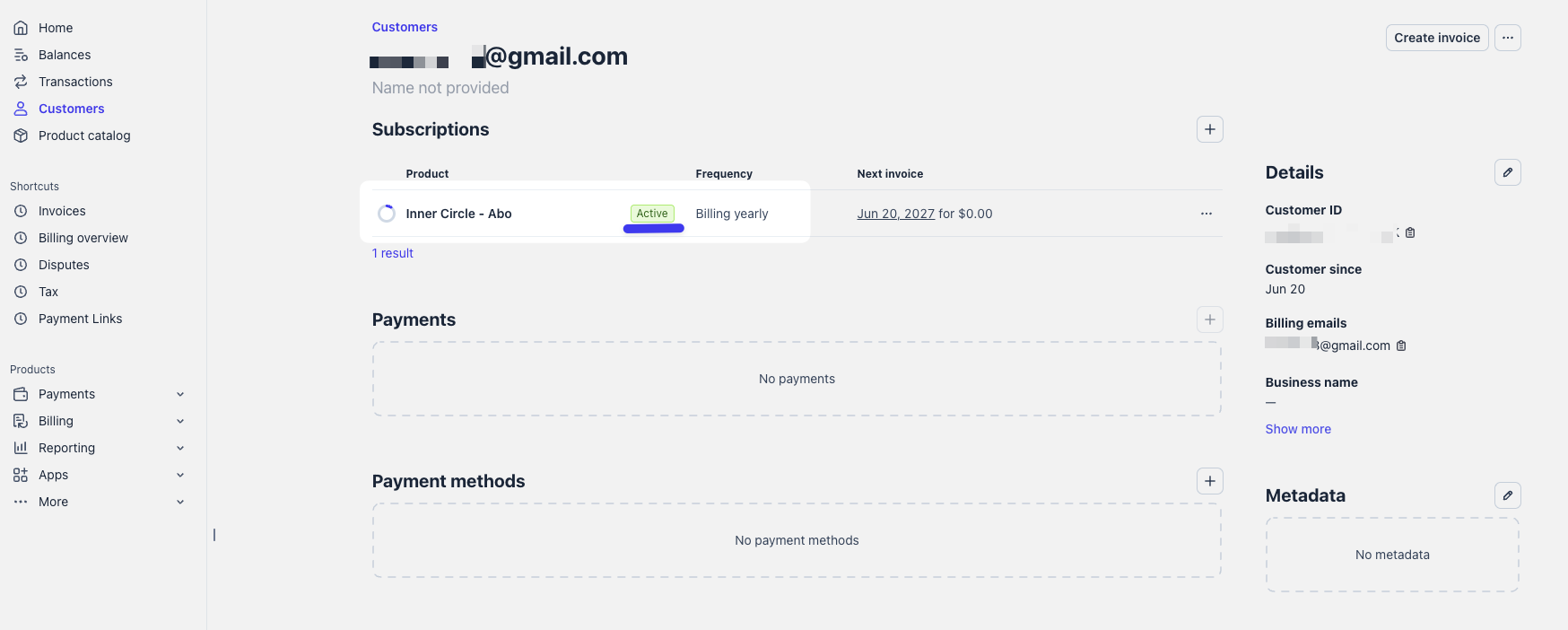
That is the whole mechanism. The subscription is a bookkeeping entry inside Ghost’s own model, and Stripe is where Ghost keeps it.
They cost nothing
Worth stating plainly, because the first reaction to a growing subscription list is usually a worry about fees.
There is no charge and no payment method attached, so there is nothing to bill. Stripe’s pricing is per transaction, and a zero euro subscription never produces one. No invoice is generated that needs settling, and nothing lands on your payout.
What they do affect is your own reading of the dashboard. If you glance at subscriber counts in Stripe to see how the business is doing, these are in the number, worth nothing each. The provider that actually took the money is where your revenue lives, and Stripe is not a complete picture of it.
What happens on a cancellation
The same thing that happens to the member. When your other provider reports the cancellation, PayGlue takes the access off the Ghost member, Ghost updates its side, and the zero euro subscription moves to Canceled.
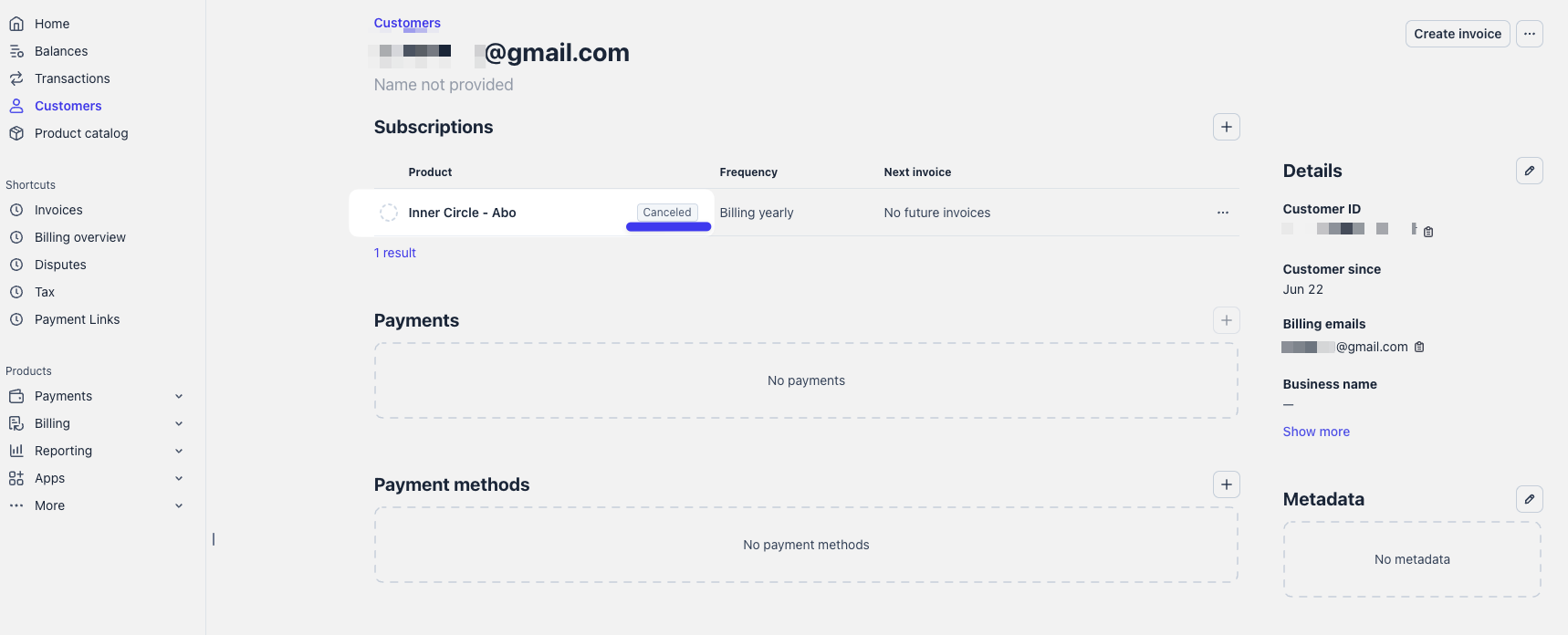
You do not have to do anything for this, and it is a reasonable way to confirm an ending reached Ghost properly if you happen to be in Stripe already. The full path a cancellation takes is here.
The one moment it matters
Deleting a member.
Ghost asks once, and the dialog carries a checkbox: also cancel the subscription in Stripe. The wording underneath spells out what happens if you clear it, and the button itself changes to match your choice.
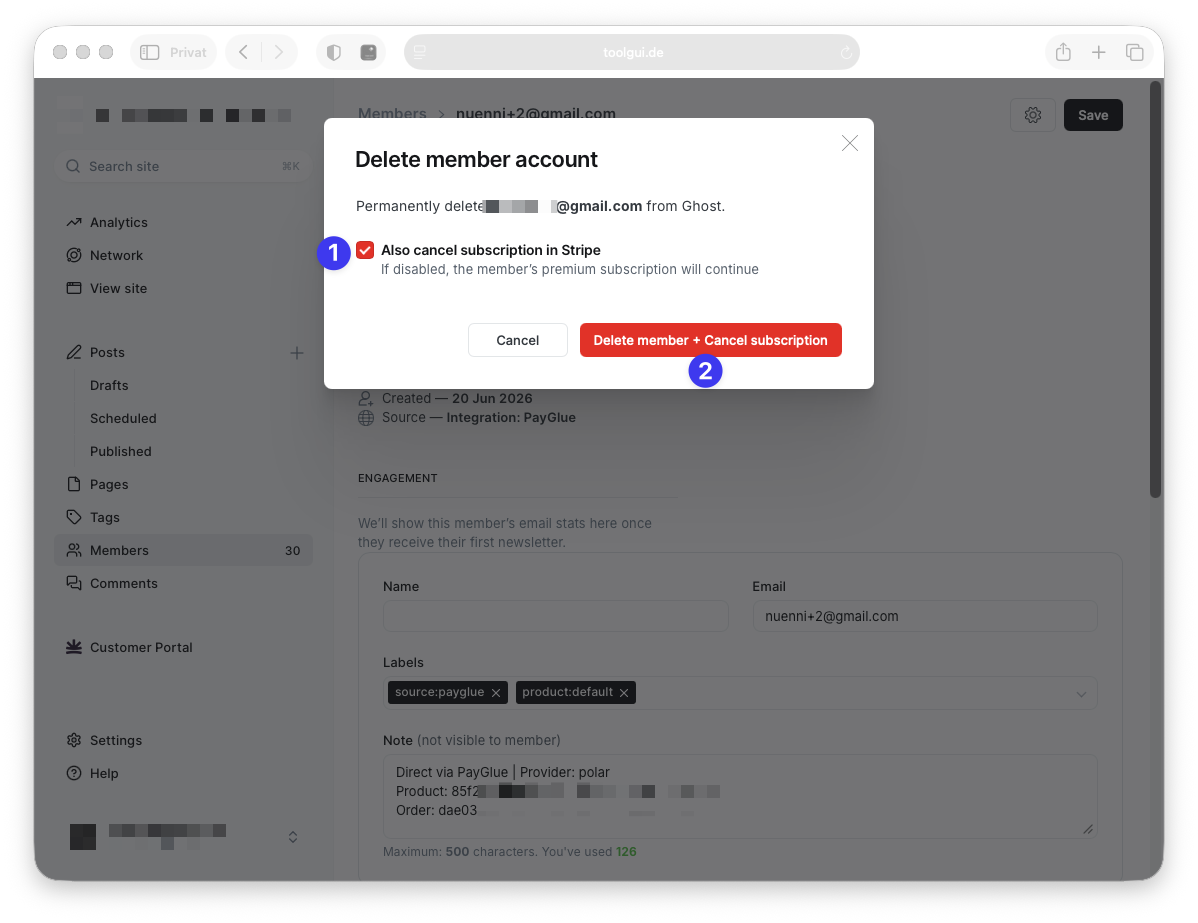
Leave the box ticked and both go. Clear it and the button reads Delete Member alone: the member disappears from Ghost while the zero euro subscription stays in Stripe with nobody attached to it.
Ghost asks because it is genuinely a choice. You can also go the other way and cancel only the complimentary plan through Ghost while keeping the member, which is the right move when somebody should stay on your list as a free reader rather than disappear.
Cleaning up the ones already there
If you have deleted members over the past months and clicked past that dialog, you will have some orphans. They are harmless, and clearing them is straightforward.
- In Stripe, open Customers and look for customers with an active subscription and no payment method.
- Check the email against your Ghost member list.
- If the member is gone from Ghost, cancel the subscription in Stripe.
Nothing in Ghost or PayGlue depends on these once the member no longer exists. There is no link to break.
If the member does still exist in Ghost, leave it alone. That subscription is doing its job.
Do not cancel them to remove access
This is the mistake worth naming, because the dashboard invites it. Cancelling the zero euro subscription in Stripe looks like a way to end somebody’s membership, and it is not.
Access to your paid posts comes from the Ghost member’s state and the labels on it. Cancelling in Stripe alone leaves a member whose access depends on which gating your site uses, and you have then created exactly the sort of half-state that produces a confused support email a week later.
To actually remove somebody, either cancel their subscription at the provider that sold to them, which ends the access on its own, or remove the access on the member directly, which the article on member labels walks through.